Coming soon to iPhone and Android
The recipes you save, actually cooked.
You save a cooking video, and that's where it ends. Share it to Cuchara instead and you get a real recipe — ingredients, amounts and steps — ready to cook from tonight.
Tell me when it launchesYour first five recipes are free. No ads, ever.
How it works
Three taps, not a transcription job.
No copying things into notes. No pausing the video eleven times to catch the flour measurement.
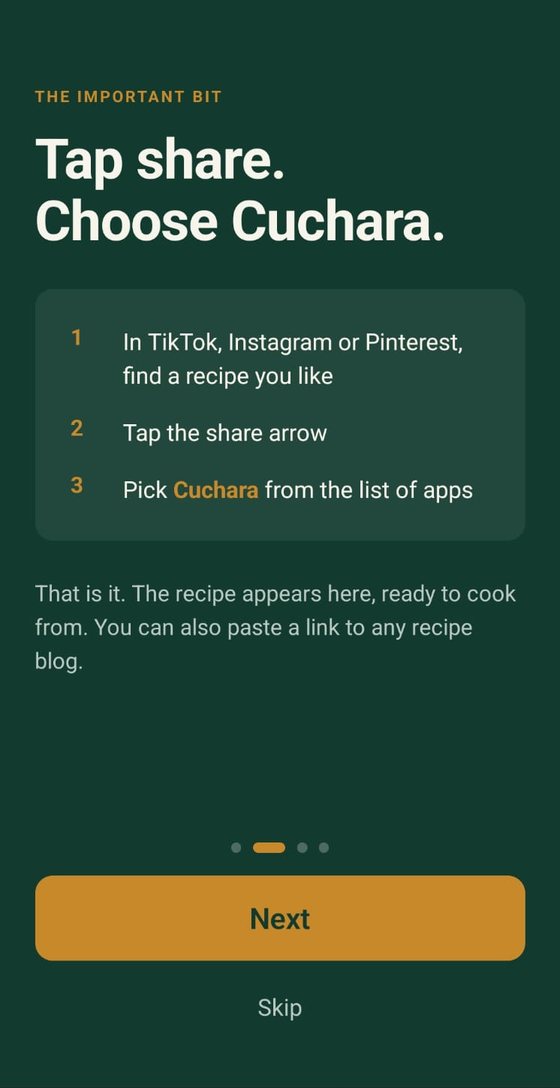
Tap share
In TikTok, Instagram, Pinterest or anywhere else, hit share and pick Cuchara. You can also paste a link or the recipe text.
We read it
The caption, the recipe data blogs publish, even text written onto a picture. Whatever is there becomes a proper recipe.
Cook it
Step by step, with the screen kept awake and the ingredients right there.
What it does
Built for the messy reality of social recipes.
Creators rarely write recipes neatly. Half the amounts are spoken, some are typed onto the video, and the rest say "a handful". Cuchara is built around that.
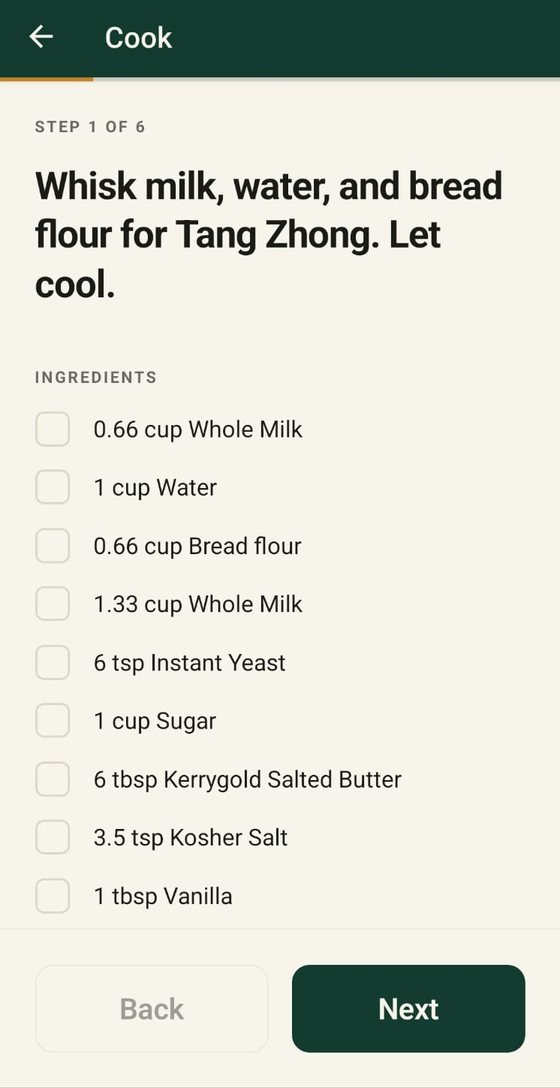
Cook one step at a time
Big, readable steps you can follow from across the counter. Tick off ingredients as you go. The screen stays on while your hands are covered in flour.
- Ingredients for each step, right under it
- Screen stays awake while you cook
- Timers when a step says to wait
What can I cook tonight?
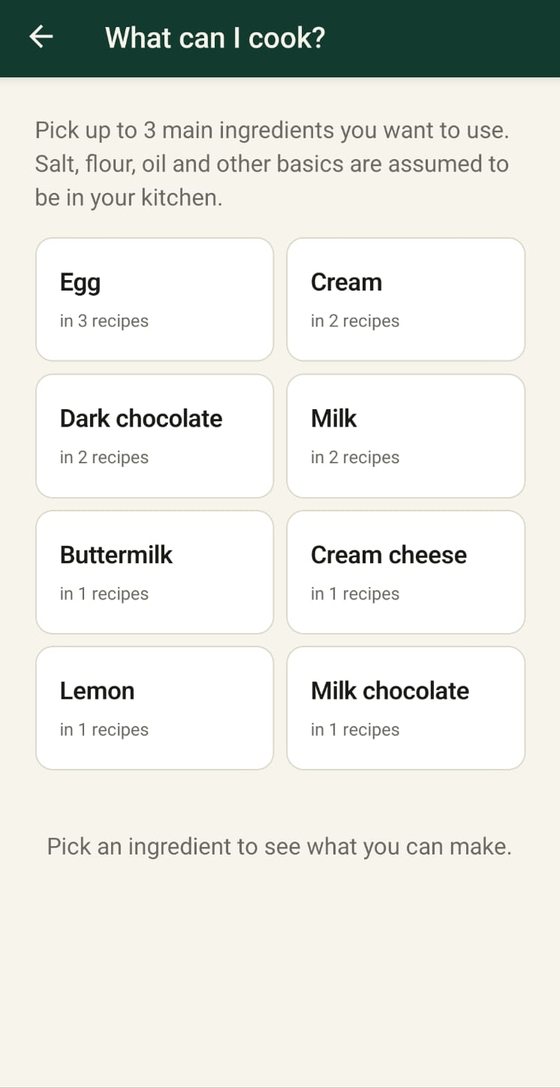
Pick up to three main ingredients you want to use, and see which of your saved recipes you can make. Basics like salt, flour and oil are already counted.
- Built from the recipes you've already saved
- Shows how many of your recipes use each ingredient
- One button per ingredient, whatever language the recipe was posted in
Plan the week
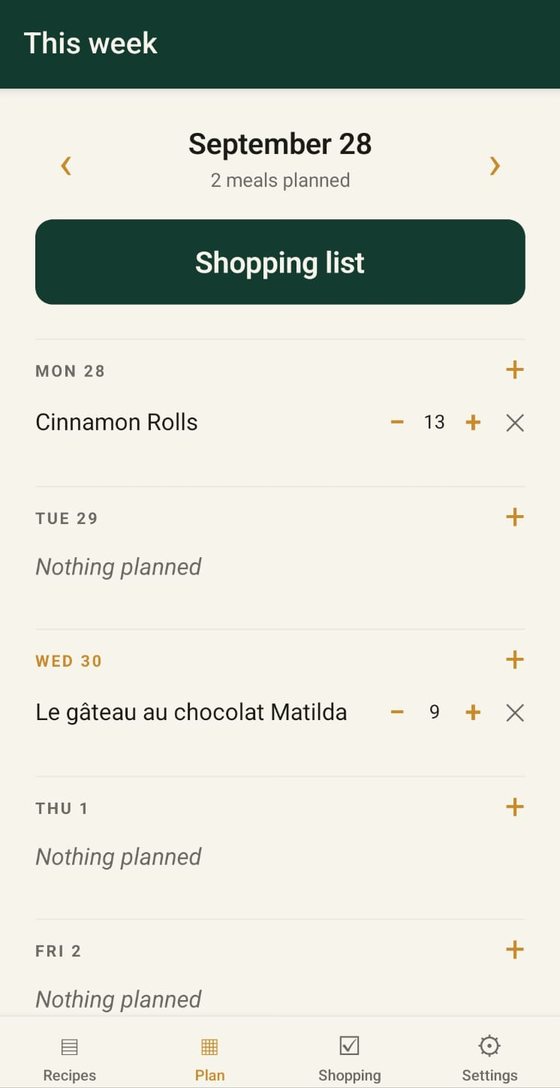
Put recipes on the days you'll cook them, and set how many people each one feeds. Amounts scale to match.
- One tap from a recipe to a day of the week
- Servings you can change per meal
- Shopping list built from the whole week
A shopping list that adds up
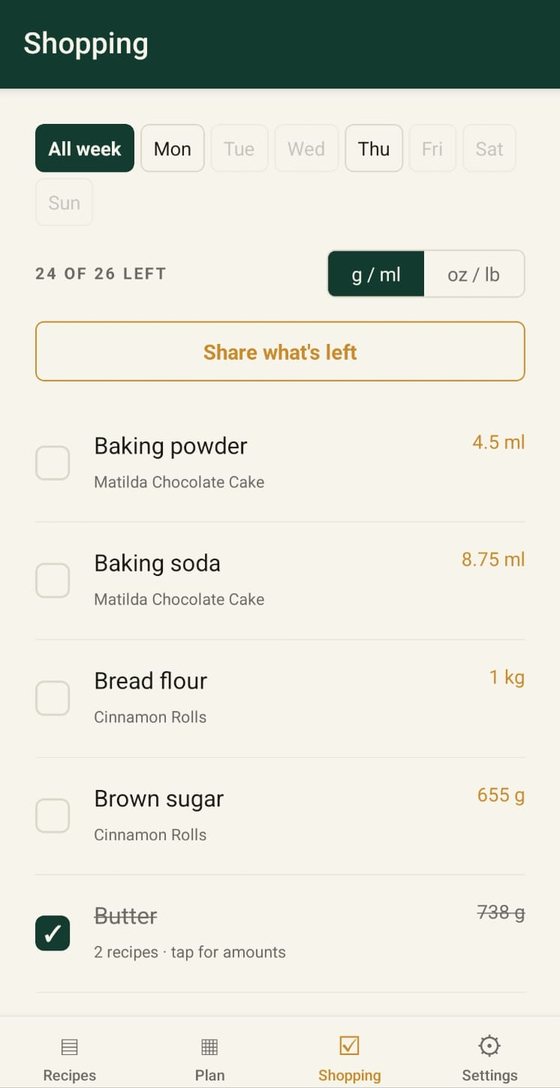
Two recipes both need butter? You get one line with the total, not two. Grams and cups of the same thing are combined properly — because a cup of flour and a cup of honey don't weigh the same.
- Shop for the whole week, or just one day
- Switch between grams and ounces
- Send what's left to whoever is going to the shop
Every recipe in your language
Save a French cake, a Spanish stew and an English bread. Each one opens in your language, and the shopping list adds them up as if they were written the same way.
- The whole app in one of eight languages
- Recipes translated as you import them
- The original always one tap away
A French recipe, saved in English
On the shopping list, “beurre pommade” and “Kerrygold salted butter” from another recipe become one line: butter.
From anywhere recipes live
Every source hides the recipe somewhere different. Cuchara checks the caption, the structured recipe data blogs publish, and the picture itself when the recipe is written onto it. If a link can't be read, share a screenshot of the post instead.
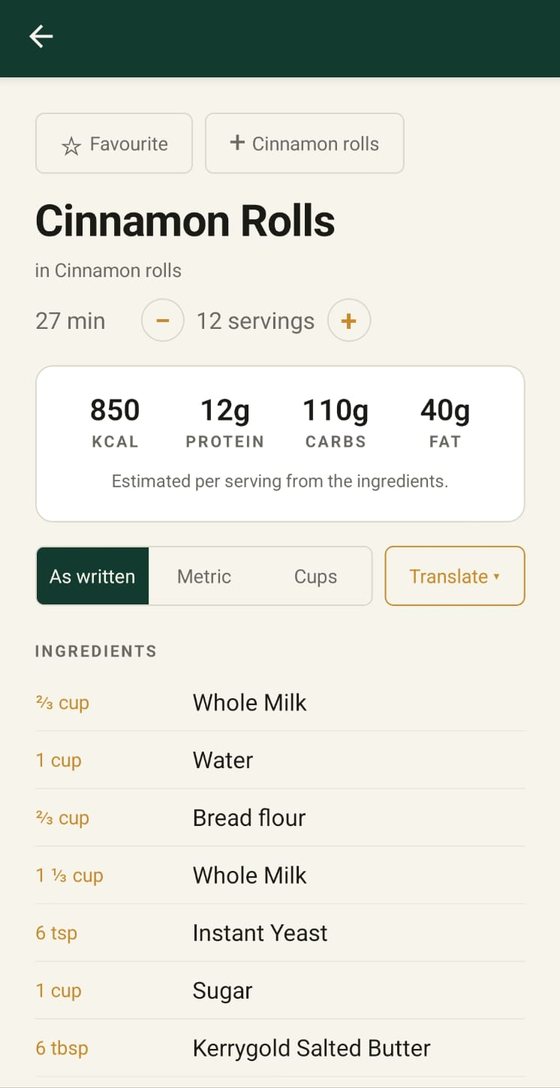
Switching a recipe to cups
Same idea, different weights. Conversions use each ingredient's real density.
Worth saying plainly
It will sometimes get it wrong.
Recipes are read automatically, and automatic reading isn't perfect. A quantity can be misread, a step missed. Every recipe links back to the original, every field can be edited, and an amount the source never gave is left blank rather than made up.
Nutrition figures are estimates from the ingredient list — useful for a rough idea of a dish, not dietary advice.
Pricing
Try five recipes first.
Your first five recipes are free, so you can see how it handles your own videos before paying anything. After that, a subscription keeps you importing. Everything you've already saved stays yours.
Monthly
Yearly
Prices in US dollars; the app shows your local price. Billed through the App Store or Google Play, renews automatically, cancel anytime in your store account. No advertising on any plan, ever.
Questions
Before you ask.
Does it work if the creator never wrote the recipe down?
Often, yes. If the recipe is written onto the picture — common on Pinterest — Cuchara reads it from the image, and you can share a screenshot of any post too. If it is only spoken out loud in a video, that isn't supported yet. You'll get whatever could be read, plus a link back to the original.
Which apps can I share from?
TikTok, Instagram, Facebook, Pinterest and YouTube, plus any recipe blog link. You can also paste the recipe text straight in, or share a screenshot. Blogs tend to give the best results.
What does it cost?
Your first five recipes are free. After that it's $5.99 a month or $49.99 a year. No advertising on any plan.
Can I use it in my language?
Yes. Pick your language when you start: English, French, Spanish, Italian, German, Portuguese, Turkish or Arabic. The whole app is shown in it, and recipes posted in another language are translated automatically. The original is always one tap away.
Does it work offline?
Recipes you've already saved can be read and cooked from without a connection. Importing something new needs one.
Can I fix a recipe it got wrong?
Yes, every field. Your changes are yours alone and never change what anyone else sees.
Who owns the recipes?
The people who made them. Cuchara keeps the practical parts and always links back to the original post. If you're a creator and want your recipe removed, email us and it will be.
Not out yet
Know when it lands.
Leave your email and we'll tell you the day Cuchara is available. Nothing else.